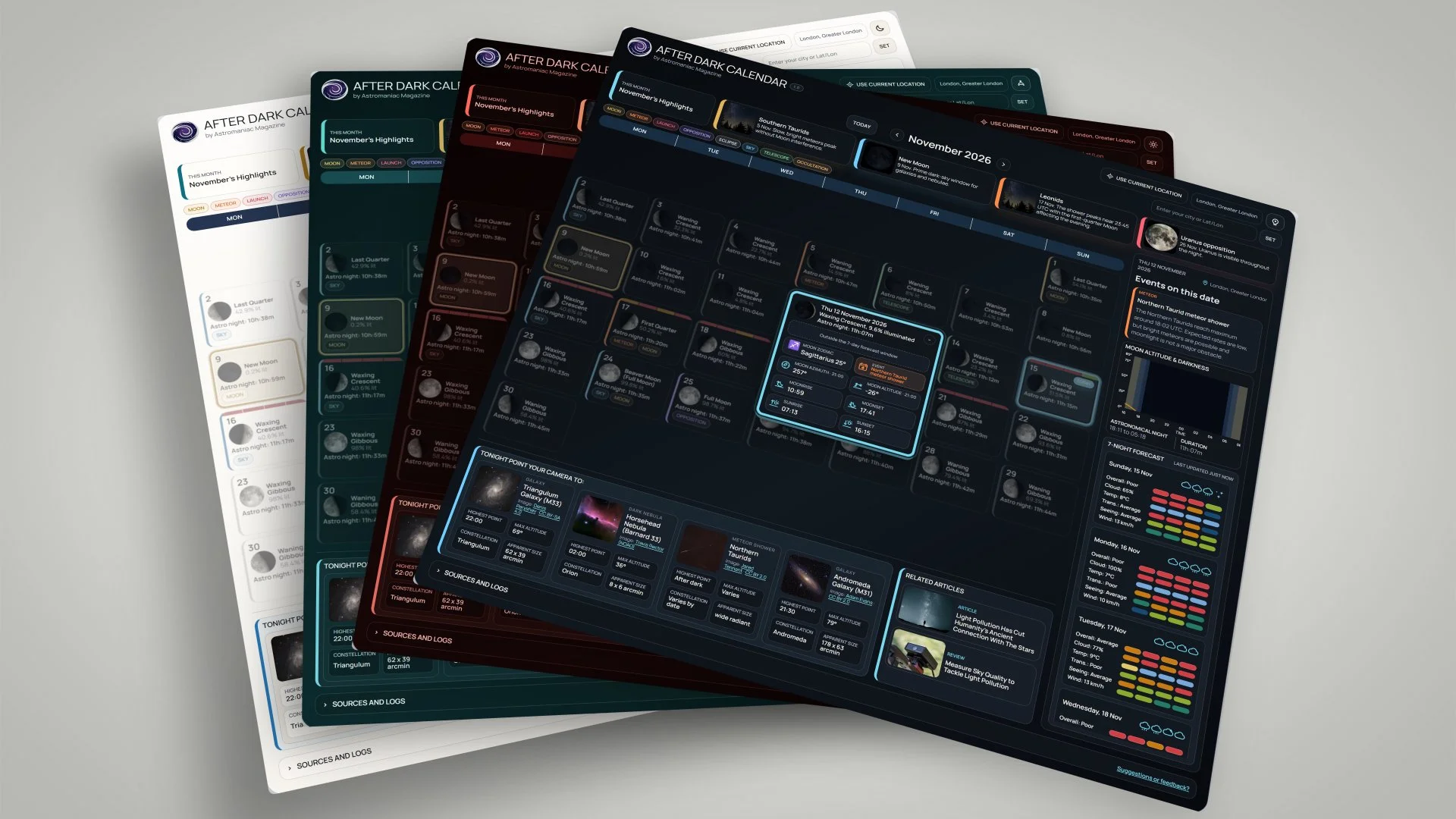
After Dark Calendar is an all-in-one night sky planner for astrophotographers.
Everything you need to plan a night under the stars, in one place: That was the idea behind After Dark Calendar, a new night-sky and astrophotography planner designed and built by Astromaniac Magazine.
What began as a fairly simple monthly night sky calendar, gradually became something more ambitious, more functional and ultimately more urgent, to a point that After Dark Calendar becomes an essential tool in every astrophotographer’s arsenal. After more than 50 development iterations, features were added, removed, rebuilt and tested around one question: what information does an astrophotographer actually need before heading outside? After Dark Calendar version 1.0 is the answer.
Rather than jumping between a Moon app, weather forecast, astronomical calendar, darkness calculator and target planner, After Dark Calendar brings the most useful parts of each together into one calendar. So, first and foremost:
“The objective of After Dark Calendar is very clear:
Keep as much useful information as possible one glance away, without turning the calendar into an overwhelming wall of data.”
Start With The Month
At its simplest, After Dark is a calendar with a familiar look. Each month gives you an immediate overview of the most significant astronomical events ahead: Moon phases, meteor showers, conjunctions, oppositions, eclipses, occultations, rocket launches and other notable events.
Events are colour-coded, while the Moon phase is visible throughout the month and New Moon is clearly highlighted, making it much easier to spot useful dark-sky periods immediately.
The calendar currently covers May 2026 through December 2027, with future months reviewed and expanded as better and more reliable event information becomes available.
At the top, a compact This Month section pulls out some of the month's most interesting astronomical events before you even begin exploring individual days. You can move backwards and forwards through the months, while the Today button takes you straight back to the present.
Set Your Location
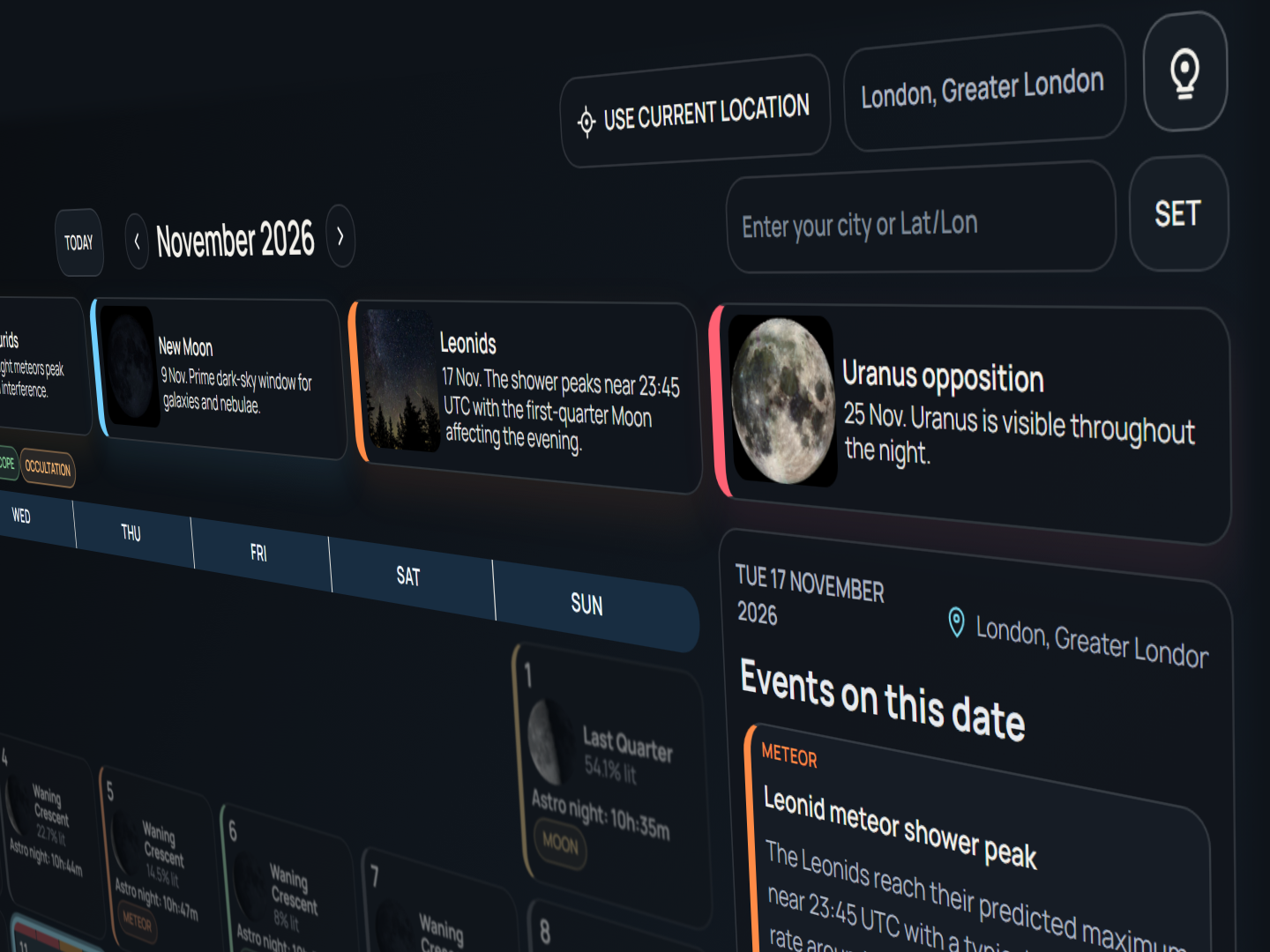
Pick a location to make After Dark Calendar tailored to your need.
After Dark becomes considerably more useful and tailored to your personal needs once you give it a location.
You can use your device's current location, search for a city, or enter coordinates manually. The calendar then recalculates astronomical information and observing conditions for that location.
If you regularly image from several places, you can optionally allow After Dark to remember your five most recent locations for 30 days, making it quick to switch between a home observatory, dark-sky site or remote imaging location.
Location storage is opt-in rather than automatic, and can be cleared at any time from Sources and logs at the bottom of the calendar.
Open And Expand Any Day
Once in your preferred month, select a date and the calendar expands it into a compact daily observing planner.
Alongside that day's astronomical events, you can see the Moon phase, its altitude and azimuth at 21:00 local time, Moonrise and Moonset, and Sunrise and Sunset.
On mobile, the calendar has been designed around touch rather than shrinking the desktop layout. Dates can be swiped left and right, with a dedicated day rail and a Back to Today control for quickly returning to the current night. The aim is to make checking tomorrow night on a phone as natural as browsing the full month on a desktop. So the calendar had to to be redesigned and optimised for mobile phone device.
See How Dark The Night Really Is
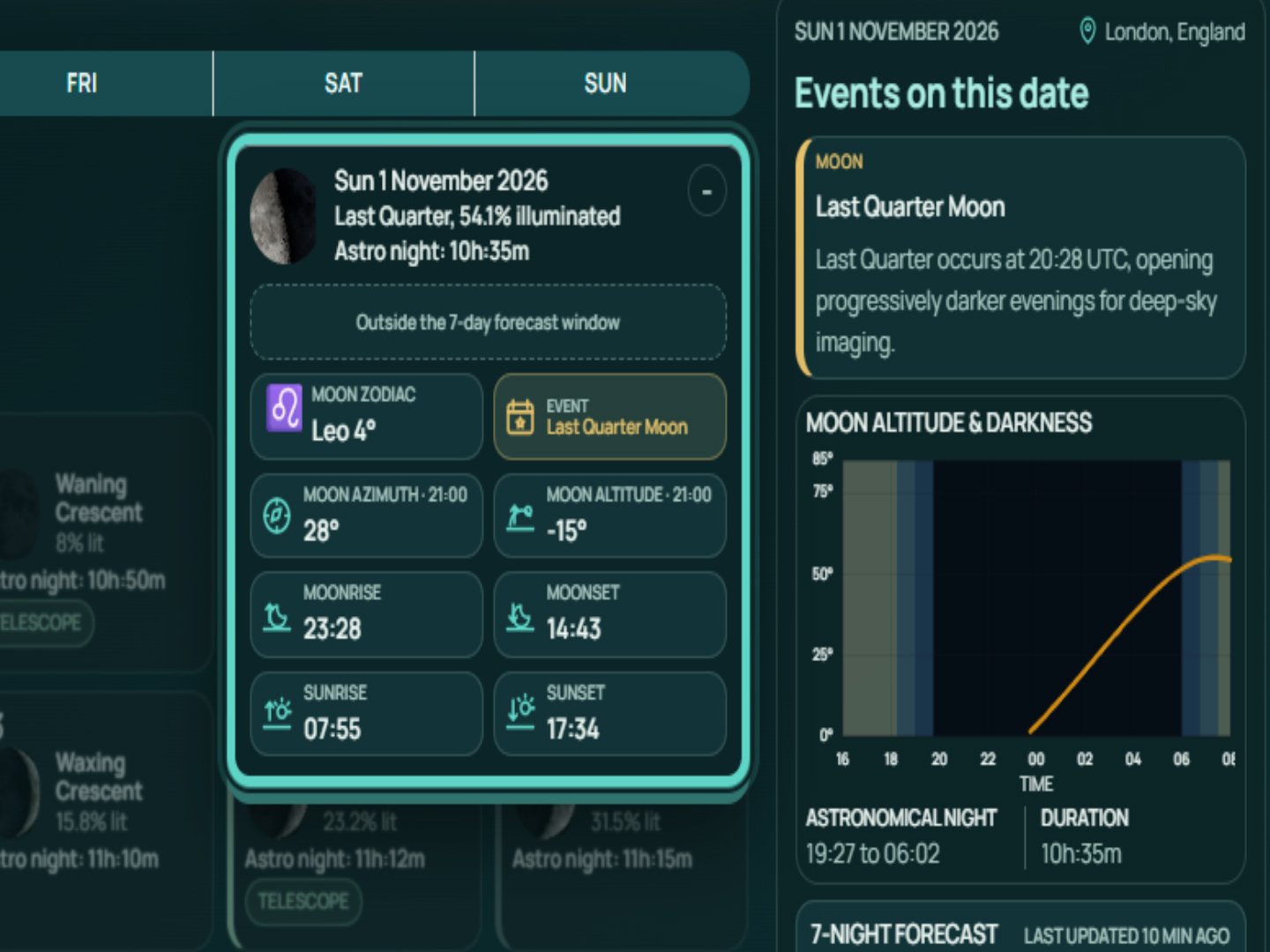
After Dark Calendar is so much more than just telling you the Moon phase. The calendar is built based on a multi-layered design to be as simple or in-depth as you need it to be.
The Night Sky chart plots the Moon's altitude across the night while also showing the transition through twilight and astronomical darkness.
This makes it much easier to answer practical questions such as: when does true darkness begin? How long will it last? Will the Moon be above the horizon? And how high will it climb during the hours you intend to image? When viewing the current night, a live marker also shows where you are within the evening.
For deep-sky astrophotography, that combination can be far more useful than simply knowing that the Moon is “37% illuminated”.
A Weather Forecast Made For Astrophotographers
One of the most useful parts of After Dark is its 7-Night Forecast. It goes beyond what a normal weather forecast could tell you. The idea behind it was to be able to see the current and next 7 night’s weather forecast at a glance and determine how suitable the conditions are.
After Dark Calendar breaks each night into four observing periods and uses colour-coded conditions so that the useful parts of a night can be read quickly. You can inspect overall observing conditions alongside cloud cover, temperature, wind, precipitation and other atmospheric information, with estimates for transparency and seeing.
The important distinction is that transparency and seeing are planning estimates derived from weather data rather than measurements from a dedicated astronomical forecasting model. They are there to help you make a better decision, not pretend the atmosphere is entirely predictable.
The same colour-coded design is carried into upcoming dates in the calendar itself, so you can often identify the more promising nights before opening the detailed forecast.
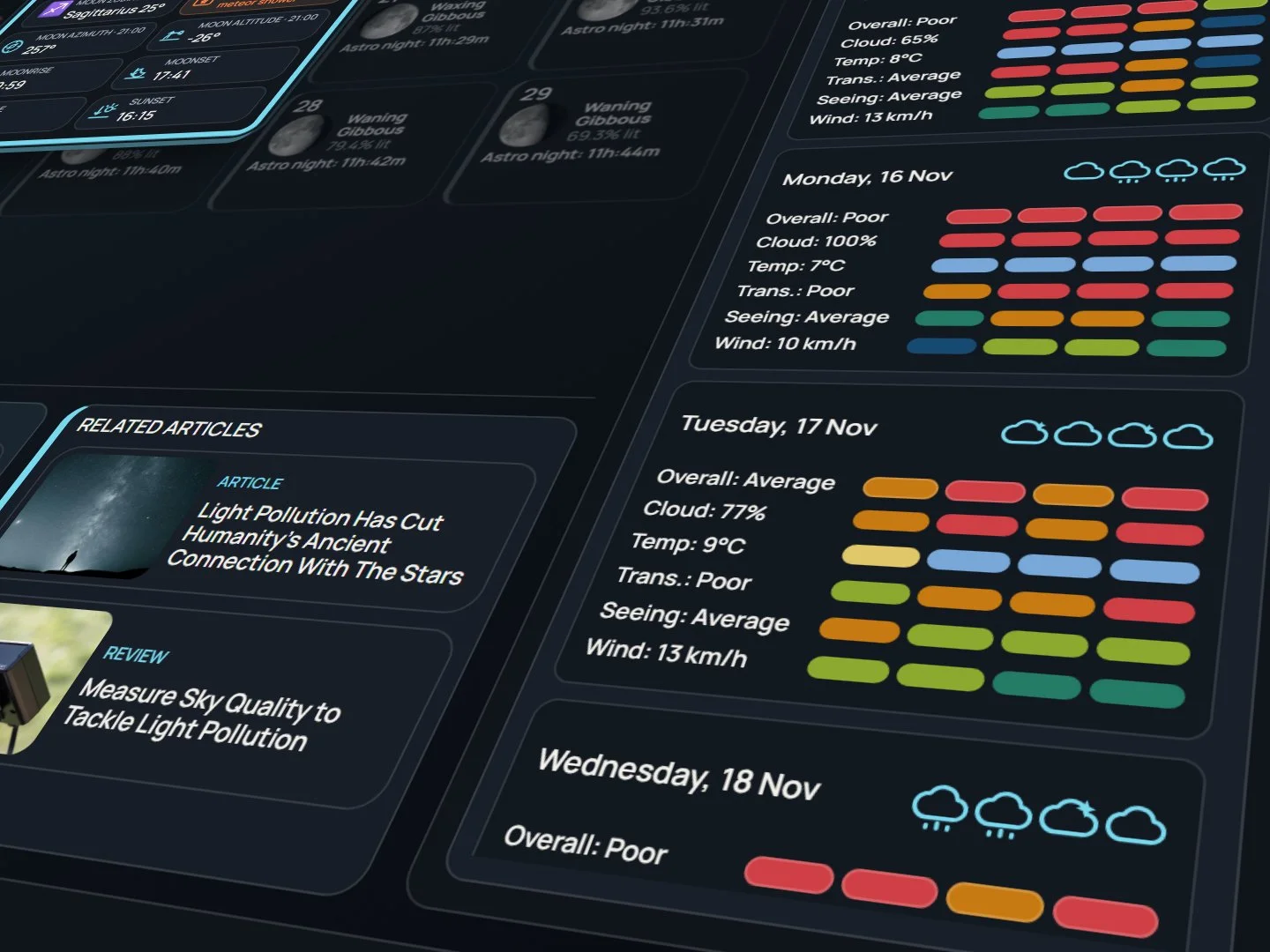
Colour coded 7-Day forecast will tell you everything you need to know at a quick glance.
What Should You Photograph?
Knowing that the sky will be clear is only half the problem.
After Dark also suggests targets appropriate to the time of year and observing conditions, ranging from galaxies and nebulae to planets and other astronomical objects.
Select a location and the recommendations become more practical, showing information such as the target's constellation, altitude and useful observing or imaging window.
On particularly dark nights, the calendar can prioritise fainter targets that benefit from low moonlight rather than simply presenting the same list every night.
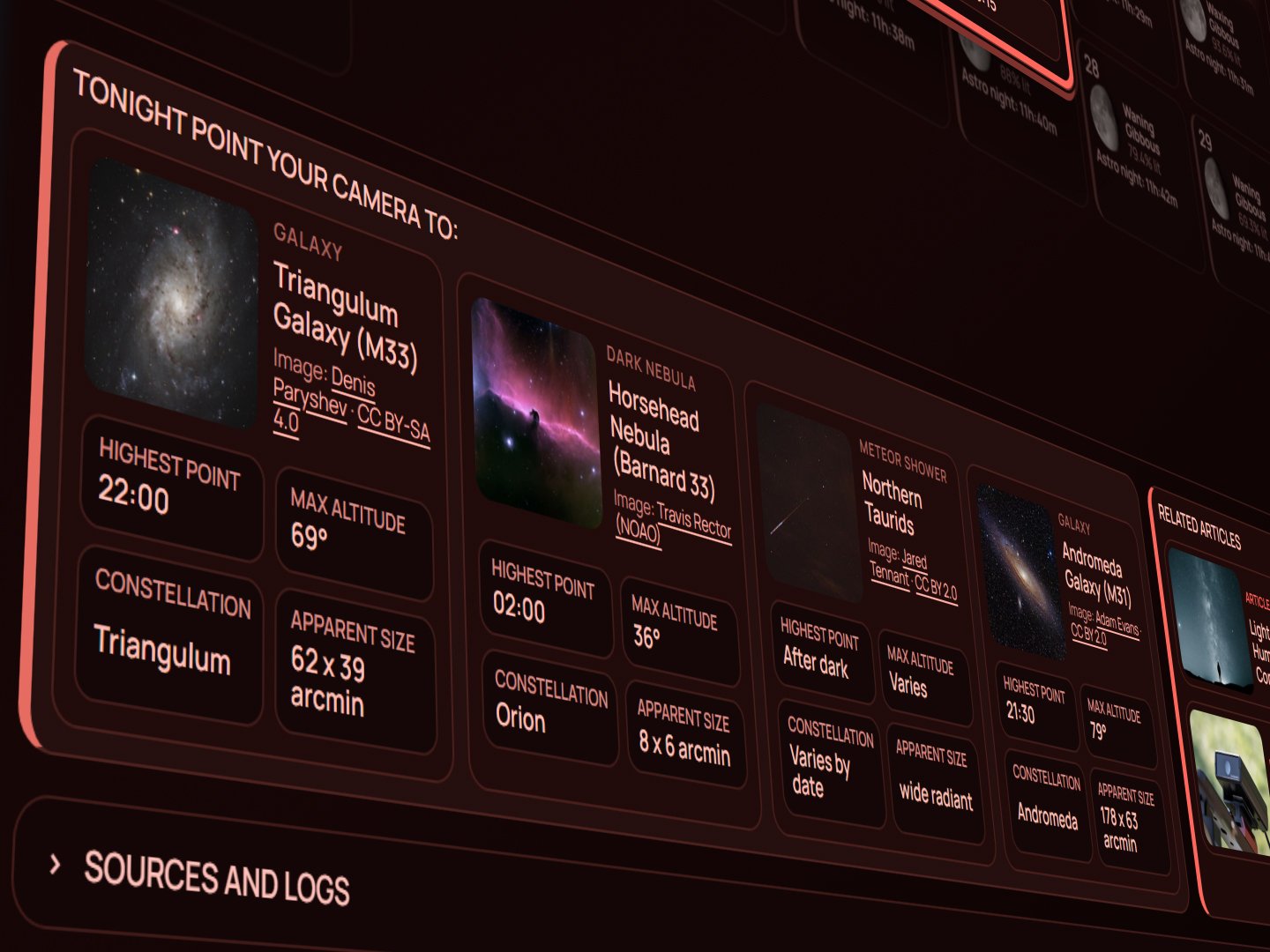
Each night, After Dark Calendar takes various factors into consideration and suggest 4 night sky targets to photograph,
The idea isn't to replace planetarium software. It is to answer a much quicker question:
If the sky clears tonight, what is worth pointing the camera at?
Read Further When Something Catches Your Eye
Alongside the observing targets, After Dark dynamically selects relevant Astromaniac Magazine articles, guides and equipment reviews. You can find the in Related Articles, next to target suggestions.
The recommendations change according to the date, Moon conditions and astronomical events rather than remaining as a fixed list of links. If an eclipse is approaching, you may find our eclipse guide. A deep-sky night may surface relevant imaging material. Other nights may lead to equipment reviews or astronomy features connected to what is happening overhead.
It turns the calendar into a starting point rather than an end.
Four Ways To View It
After Dark includes four themes: Light, Dark, Observatory Red and Royal Teal.
Light and Dark themes for normal everyday use, while the two night-orientated themes are intended to provide more comfortable alternatives when checking the calendar in darker surroundings. Your preferred theme can also be remembered, but only if you choose to enable that option.
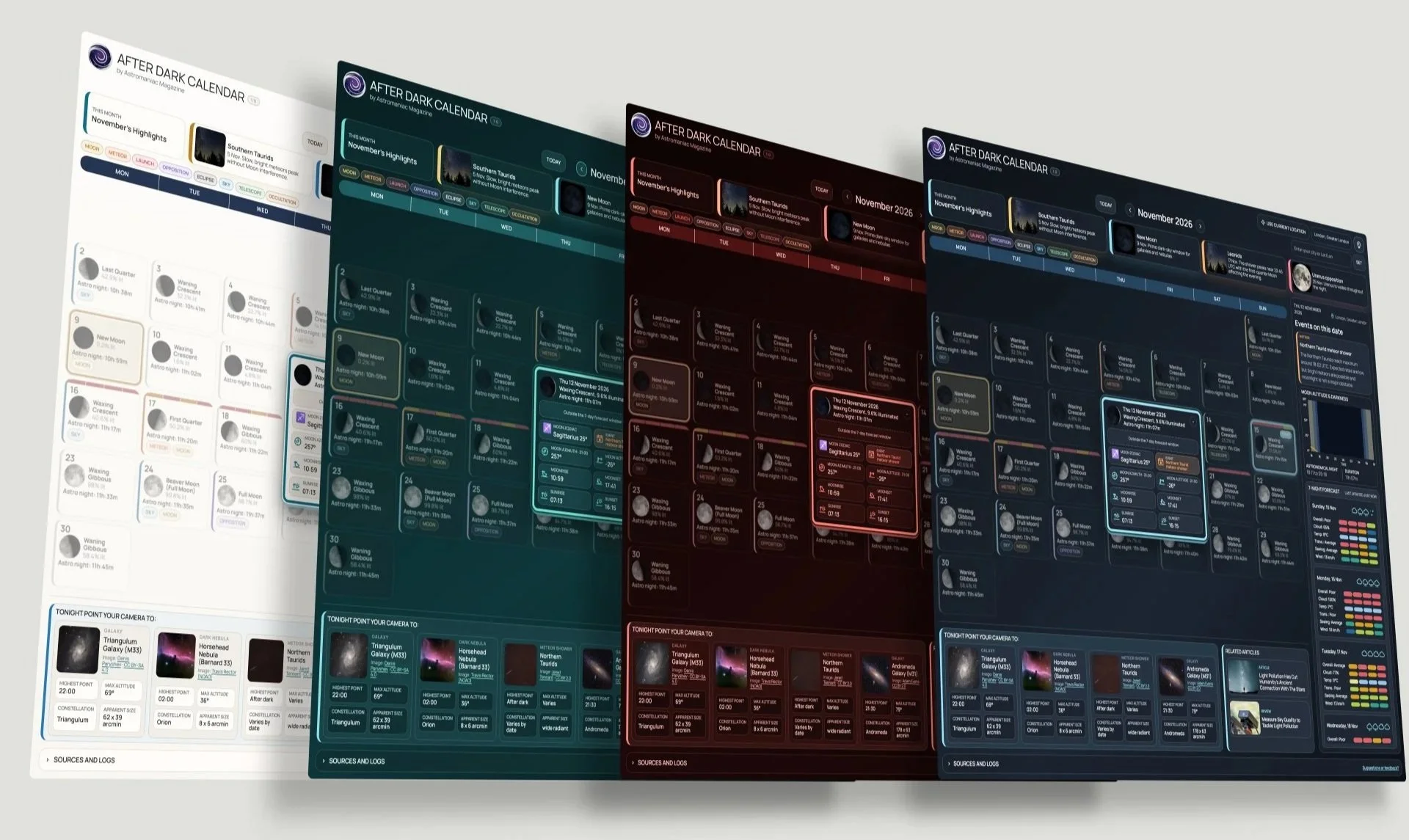
After Dark Calendar comes in 4 themes: Light, Royal Teal, Observatory Red and Night modes.
Where Does The Information Come From?
Open Sources and logs and you'll find the references used for astronomical events, Moon calculations, weather data and other information throughout the calendar. After Dark Calendar draws on trusted sources and calculations including Astronomy Engine, Open-Meteo and astronomical references used to cross-check calendar data.
For the Version 1.0 release, 20 months and 610 individual calendar dates were rechecked, alongside astronomy calculations, observing recommendations, mobile behaviour and browser performance.
The same section also contains the recent development log, privacy information, location controls and details about how external services are used.
An important note on the accuracy of the data included in the calendar: weather and launch information can change, so verify critical plans with the cited sources. Calendars three months or more ahead may be incomplete; they will be updated and become more complete as those months approach and more reliable event data becomes available.
Built To Keep Changing
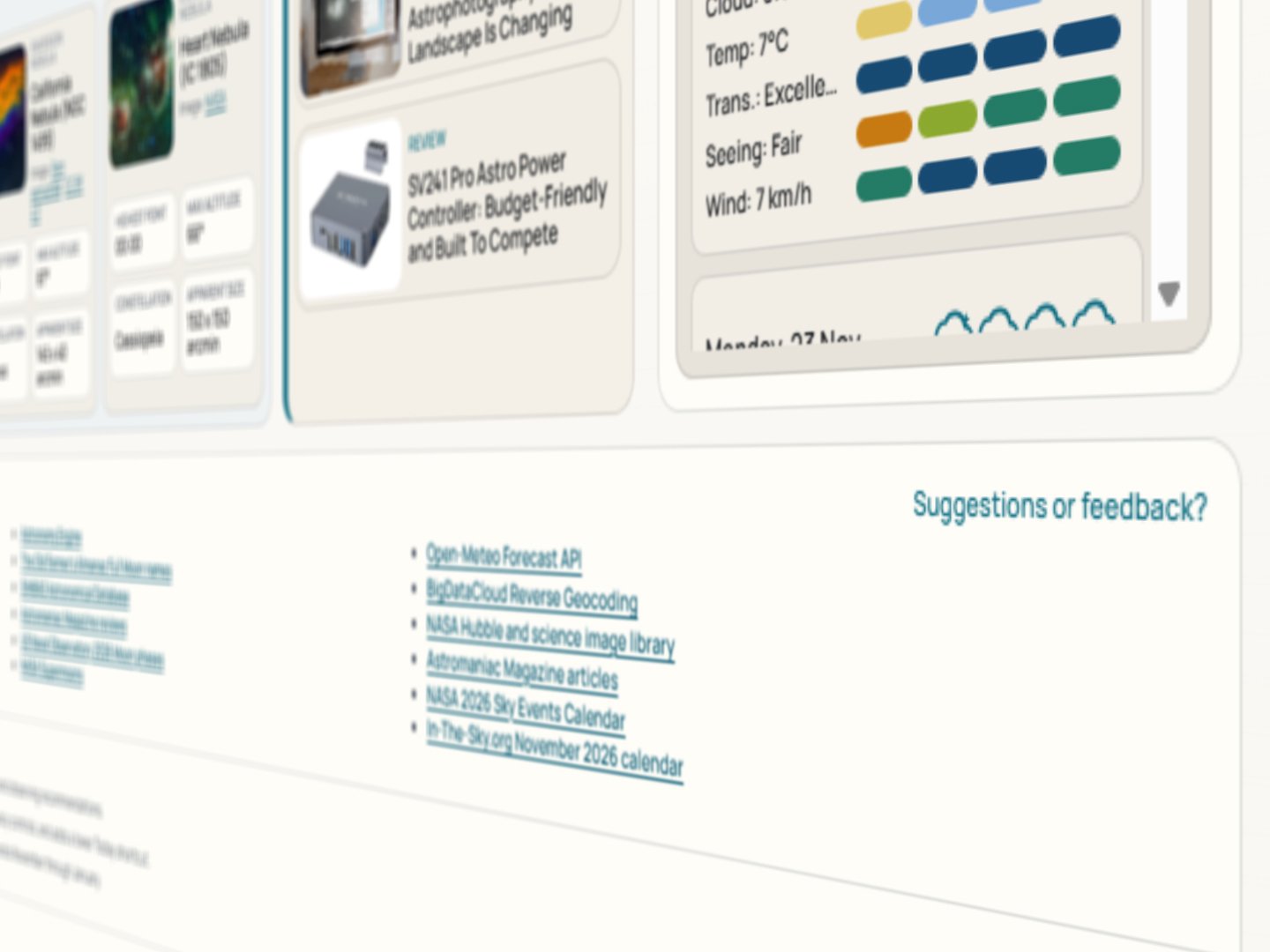
We’re keen to hear your thoughts on After Dark Calendar.
Version 1.0 isn't intended to mark the point where After Dark Calendar stops developing. It marks the point where we think it is ready to become a proper Astromaniac Magazine resource, completely free of charge and fully functional on your device of choice.
The objective remains the same as it was at the beginning: keep as much useful information as possible one glance away, without turning the calendar into an overwhelming wall of data.
If something isn't working, something is missing, or you think there is a better way of presenting information, we want to hear about it.
Use Suggestions or feedback inside the calendar or contact Astromaniac Magazine directly. We will continue refining After Dark, improving its data and adding useful features where they genuinely make planning a night under the stars easier.
Explore After Dark Calendar 1.
Frequently Asked Questions:
-
DesAfter Dark Calendar brings together the information astrophotographers regularly need, without having to jump between different websites or apps. Moon phases, astronomical darkness, celestial events, recommended targets, their altitude and local weather forecasts are presented in one place. The idea is simple: one glance should tell you whether a night is worth planning around.cription text goes here
-
We combine astronomical calculations with information from established sources, including NASA, the US Naval Observatory, the International Meteor Organization and other astronomical databases. Weather forecasts come from Open-Meteo, while positional calculations use Astronomy Engine. You can find further details in the calendar's Sources and logs section, at the bottom of the calendar.
-
Completely free, with no subscription or account required. Astromaniac Magazine is an independent publication, and developing and maintaining tools like this takes considerable time and resources. If you find After Dark Calendar useful, please consider supporting us with a donation. Every contribution helps us keep improving it.
-
Yes. Enter your city or geographical coordinates, or allow the calendar to detect your location. Astronomical darkness, Sun and Moon timings, target altitude and weather forecasts will adjust to your selected location.
-
Astronomical night begins when the Sun drops at least 18° below the horizon. At high latitudes, particularly during summer, the Sun may never reach that depth. In those circumstances, astronomical night does not occur. Instead, you will enter the astronomical twilight.
-
After Dark Calendar provides a rolling seven-night forecast to help you plan your observing sessions. Like any weather forecast, accuracy can change, particularly several days ahead. Always check the latest forecast before travelling to an observing site.
-
The calendar includes future dates, but certain events, observing recommendations and other information are added or refined as reliable data becomes available. Months further ahead may therefore contain fewer details. This allows us to prioritise accuracy rather than fill the calendar with speculative information.
-
Location access is optional. You can enter a city or coordinates without sharing your device's precise GPS location. If you choose to enable location memory, the calendar can remember up to five locations in your browser for 30 days. You can clear them whenever you wish. Weather and location services receive the information needed to provide their results; further details are available in the calendar's privacy information. For further information, visit our Privacy Policy page.
-
Yes. Simply click on any date in the calendar. The start and end times for astronomical night are displayed under the Moon Altitude Chart. These times are calculated for your selected location.
-
Your device's operating system, display settings, screen resolution and browser zoom level can all affect how After Dark Calendar appears. Font sizes, scaling and browser settings may also influence the layout. For the best experience, we recommend using an up-to-date browser with zoom set to 100%.
-
We'd love to hear from you! Simply click Suggestions or feedback? in the bottom-right corner of After Dark Calendar to share your thoughts, report an issue or suggest a new feature.